Get started
How to register?
You can register and get access to the SMS simulator web panel in a few simple steps
Create your account
- 1
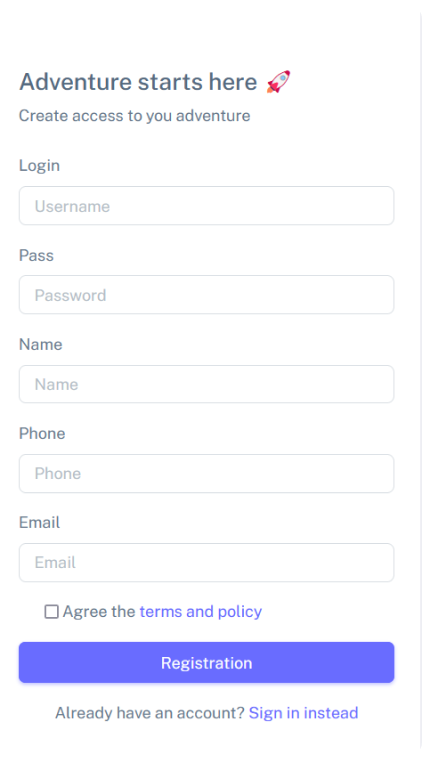
Follow the link to fill out the registration form
- 2
Enter the login with which you will log in to the simulator panel
- 3
Also create a password. It must be 8 characters long
- 4
Enter your name. This way we will know how to contact you in further communication
- 5
Your phone number in international format
- 6
Your email address through which we can contact you
- 7
Confirm your agreement with the terms of use of our smpp simulator
Sign in to the panel
- 8
Complete the registration by clicking on the blue button
- 9
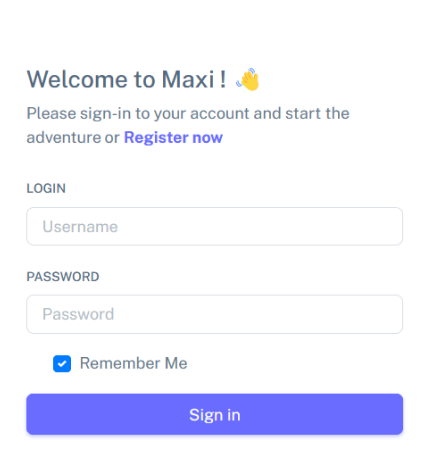
Now, to enter your account, enter the username and password that you specified during registration
- 10
Click on the Sign in button
You are in
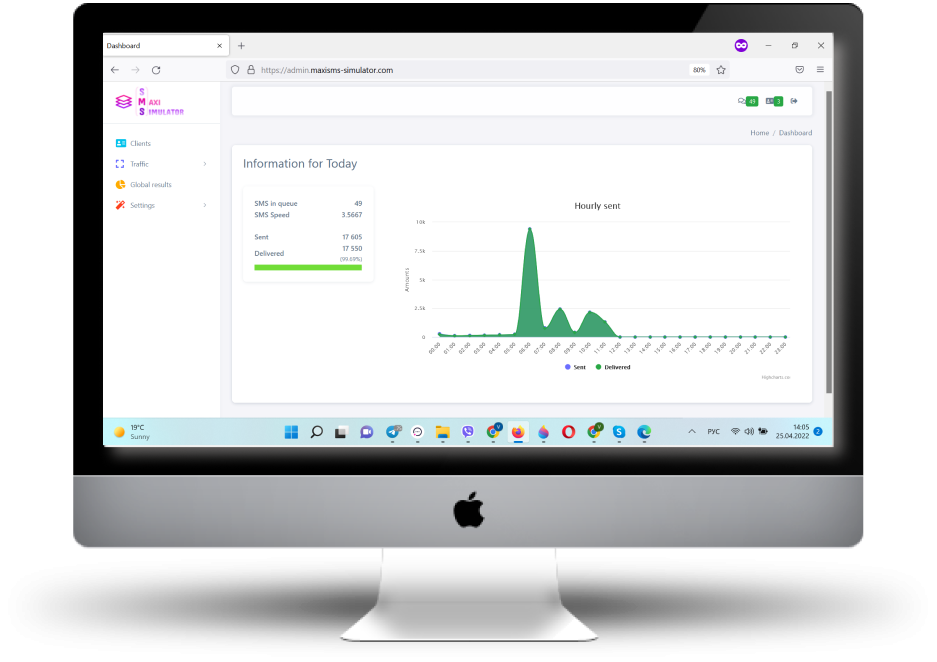
Your simulator dashboard
You have reached the dashboard of your simulator, here you can see the basic information about today's traffic - yes, everything is empty for now, but everything is in your hands. There is also a menu available with which you can configure your future traffic
Next: configure your first client.
Ready to test your SMS traffic?
Get your SMPP simulator in minutes and use it free for 3 days - or tell us what you need and we will help you choose a plan.